R-RMC - TC and MC Setup MX 10.2 - V. 2.5
General Config
Xpert Mode - CONFIG
- Wi-fi - VEL-RDT-add-network
Settings: vel-rdt-mx10.2-add-network
Sleep Policy: Never Sleep
2.4GHz channels: 1-13
5.0GHz channels: 13-140
Settings: vel-rdt-mx10.2-add-network
Sleep Policy: Never Sleep
2.4GHz channels: 1-13
5.0GHz channels: 13-140- Wi-fi - VEL-RDT-connect-network
Settings: vel-rdt-mx10.2-connect-network
Sleep Policy: Never Sleep
2.4GHz channels: 1-13
5.0GHz channels: 13-140
Settings: vel-rdt-mx10.2-connect-network
Sleep Policy: Never Sleep
2.4GHz channels: 1-13
5.0GHz channels: 13-140- DisplayMgr
Screen Off Timeout Interval: 30min.
Auto Rotate: Turn Off
Adaptive Brightness: Turn Off
Screen Off Timeout Interval: 30min.
Auto Rotate: Turn Off
Adaptive Brightness: Turn Off- WirelessMgr - Turn Bluetooth Off
Enable/Disable Bluetooth: disable
Enable/Disable Bluetooth: disable- TouchMgr - Finger and Glove
Device Type: TC51, TC56, TC70x or TC75x
Touch Mode: Stylus, Glove and Finger
Device Type: TC51, TC56, TC70x or TC75x
Touch Mode: Stylus, Glove and Finger- Clock
Auto Time: true
Time Zone: Europe/London
NTP Server: pool.ntp.org
Sync Interval: 30 minutes
Auto Time: true
Time Zone: Europe/London
NTP Server: pool.ntp.org
Sync Interval: 30 minutes- CameraMgr
Enable ALL Cameras
Enable ALL CamerasR-RMC Final config
Apps, Vantec files, DataWedge profile and EHS setup.
Xpert Mode
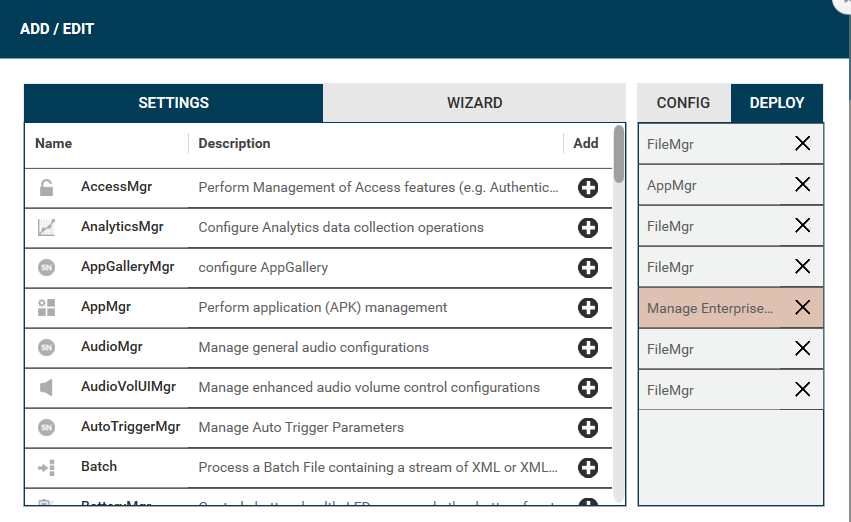
Quick Guide - Deploy
- FileMgr - download apps - Zip Files
- AppMgr - Install pdf-viewer.apk
- FileMgr - Download DataWedge Profile
- FileMgr - Vantec Files
- Wizard Type - Manage Enterpriser Home Screen
- FileMgr - Delete - pdf-viewer.apk
- FileMgr - Delete - EHS
- FileMgr - download apps - Zip Files
File Action:
    Download and Expand Archive File
Archive Target Path and Folder Name:
    /sdcard/
Source Archive URI: Open widget using three dots button
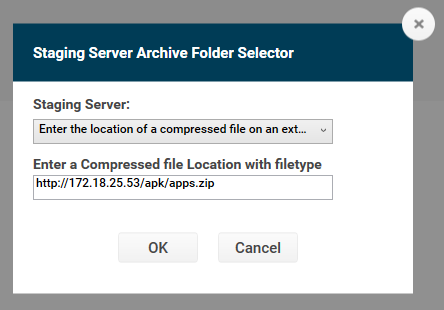
    Staging Server:
        Enter the location of a compressed
        file on an external server
    Enter a Compressed file Location with filetype:
        http://172.18.25.53/apk/apps.zip
File Action:
    Download and Expand Archive File
Archive Target Path and Folder Name:
    /sdcard/
Source Archive URI: Open widget using three dots button
    Staging Server:
        Enter the location of a compressed
        file on an external server
    Enter a Compressed file Location with filetype:
http://172.18.25.53/apk/apps.zip 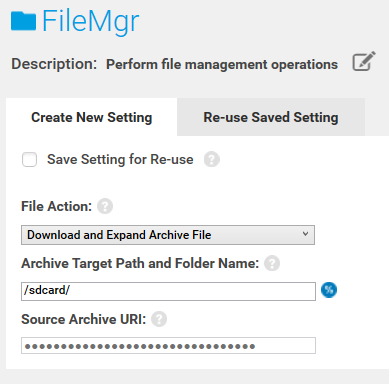
- AppMgr - Install pdf-viewer.apk
Application Action:
    Install
ASK Path an Name:
  /sdcard/pdf-viewer.apk
Application Action:
    Install
ASK Path an Name:
  /sdcard/pdf-viewer.apk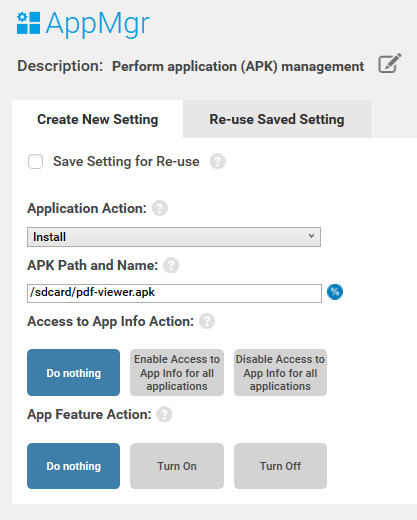
- FileMgr - Download DataWedge Profile
File Action:
Transfer/Copy File:

Target Path and File Name:
    /enterprise/device/settings/datawedge/autoimport/datawedge.db

Source Access Method:
    File on a Remote Server

Source File URI:
    Source Archive URI: Open widget using three dots button
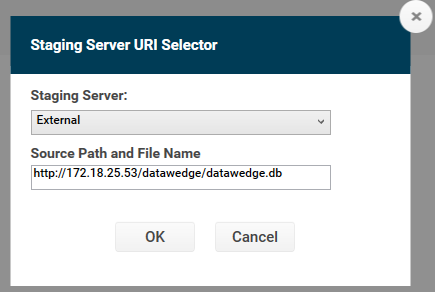
    Staging Server:
            External
        Source Path and File Name:
      http://172.18.25.53/datawedge/datawedge.db
File Action:
Transfer/Copy File:

Target Path and File Name:
    /enterprise/device/settings/datawedge/autoimport/datawedge.db

Source Access Method:
    File on a Remote Server

Source File URI:
    Source Archive URI: Open widget using three dots button
    Staging Server:
            External
        Source Path and File Name:
      http://172.18.25.53/datawedge/datawedge.db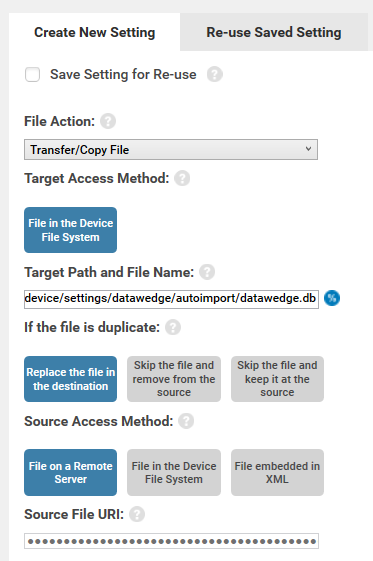
- FileMgr - Vantec files
File Action:
    Download and Expand Archive File
Archive Target Path and Folder Name:
    /sdcard/
Source Archive URI: Open widget using three dots button
    Staging Server:
        Enter the location of a compressed
        file on an external server
    Enter a Compressed file Location with filetype:
        http://172.18.25.53/zip-files/vantec.zip
File Action:
    Download and Expand Archive File
Archive Target Path and Folder Name:
    /sdcard/
Source Archive URI: Open widget using three dots button
    Staging Server:
        Enter the location of a compressed
        file on an external server
    Enter a Compressed file Location with filetype:
http://172.18.25.53/zip-files/vantec.zip - Wizard Type - Manage Enterpriser Home Screen
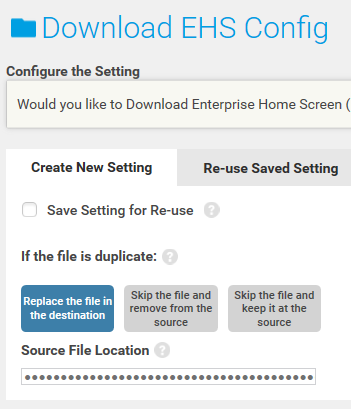
- 5.1 Download EHS Config
Doenload EHS Config: Yes
Select: Replace the file in the destination
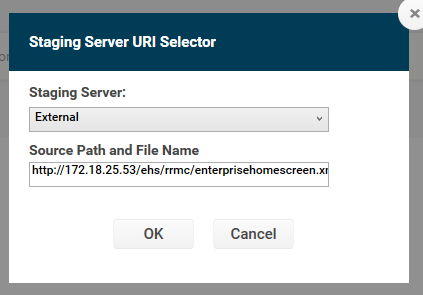
Source File Location: Open widget using three dots button
    External:
            http://172.18.25.53/ehs/rrmc/enterprisehomescreen.xml
Doenload EHS Config: Yes
Select: Replace the file in the destination
Source File Location: Open widget using three dots button
    External:
            http://172.18.25.53/ehs/rrmc/enterprisehomescreen.xml
- 5.2 Choose and EHS APK
Select: EHS_R (Rebranded)
Select: EHS_R (Rebranded)- 5.2.1 Download EHS App
Taget Path and File Name on Device:
    /sdcard/ehs.apk
Select: Replace the file in the destination
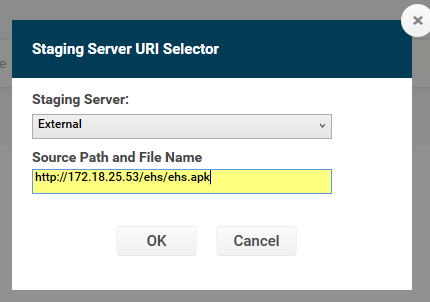
Source File Location: Open widget using three dots button
    External:
  	http://172.18.25.53/ehs/ehs.apk
Taget Path and File Name on Device:
    /sdcard/ehs.apk
Select: Replace the file in the destination
Source File Location: Open widget using three dots button
    External:
  	http://172.18.25.53/ehs/ehs.apk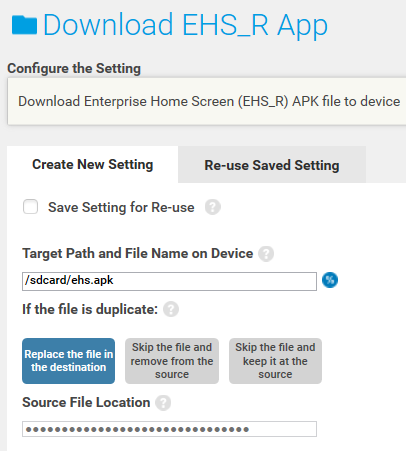
- 5.2.2 Install EHS App
APK Path and Name:
    /sdcard/ehs.apk
APK Path and Name:
    /sdcard/ehs.apk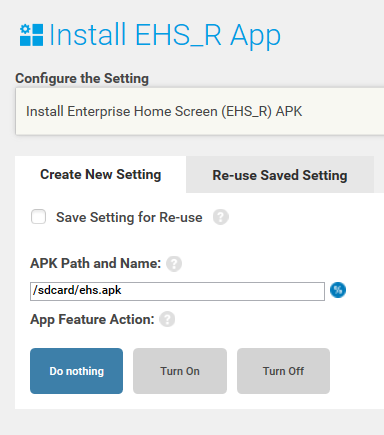
- 5.2.3 Launch EHS Package name
com.symbol.enterprisehomescreen
com.symbol.enterprisehomescreenDelete apk files:
- FileMgr - Delete pdf-viewer.apk
File Action:
    Delete File

Target Path and File/Folder Name:
    /sdcard/pdf-viewer.apk
File Action:
    Delete File

Target Path and File/Folder Name:
    /sdcard/pdf-viewer.apk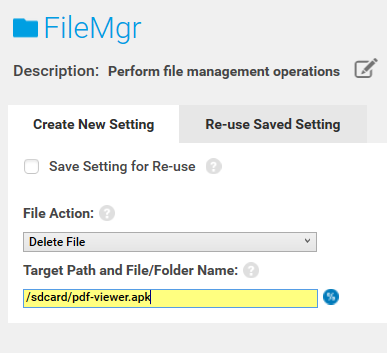
- FileMgr - Delete ehs.apk
File Action:
    Delete File

Target Path and File/Folder Name:
    /sdcard/ehs.apk
File Action:
    Delete File

Target Path and File/Folder Name:
/sdcard/ehs.apk 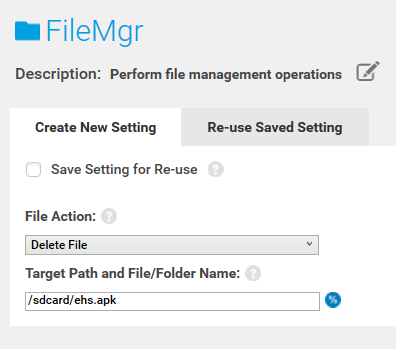
Review
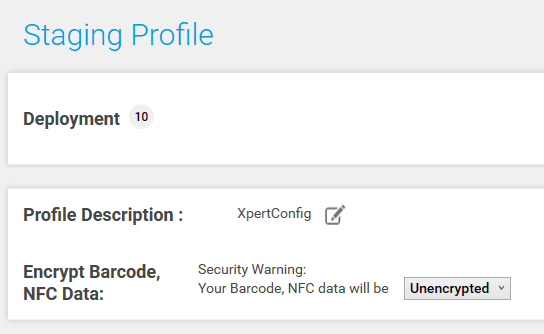
Staging Profile Unencrypted
Publish
Select Host the Deployment Package Outside of StageNow FTP Server
Enter Location of Deployment Package: Keep the original name of the bin file and replace the first part of the URL with the location where the file will be on the server:
http://172.18.25.53/stagenow-bin-files/
For instance:
http://172.18.25.53/stagenow-bin-files//RRMC-Final-Config-2.5-MX10.2_ExecuteSection.bin
http://172.18.25.53/stagenow-bin-files/
For instance:
http://172.18.25.53/stagenow-bin-files//RRMC-Final-Config-2.5-MX10.2_ExecuteSection.bin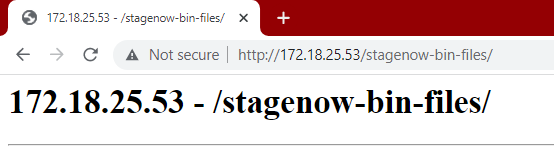
Select Deployment package and upload the bin file in the appropriate place on the server.

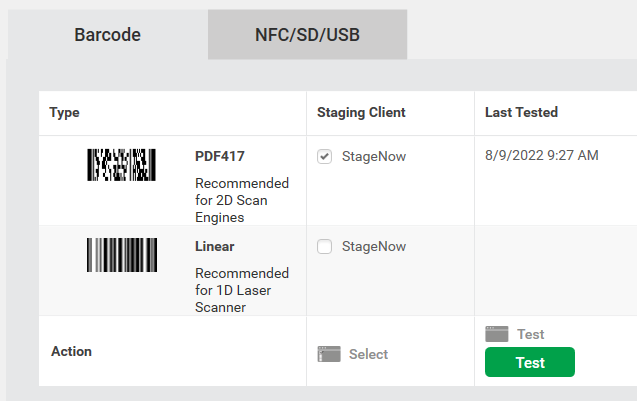
Generate a PDF147 Barcode selecting StageNow as Staging Client and clicking the TEST button
Vantec folder structure
Folder Structure
flowchart LR
    1(sdcard) --> 2(vantec);
    2(vantec) --> 3(images);
    2(vantec) --> 4(rrmc);
    4(rrmc) --> 5(stagenow);
    4(rrmc) --> 6(ehs);
flowchart LR
    1(sdcard) --> 2(vantec);
    2(vantec) --> 3(images);
    2(vantec) --> 4(rrmc);
    4(rrmc) --> 5(stagenow);
    4(rrmc) --> 6(ehs);
** Files generated using Python script
File naming convention
- stagenow = RDT-???-stagenow.xml
- ehs = RDT-???-xml